One connected construction platform

Run every part of your project from one place.

SiteMaster brings planning, site execution, materials, people, payments and reporting into one clear operating system for construction teams.

11

Core modules

1

Connected workspace

360°

Project visibility

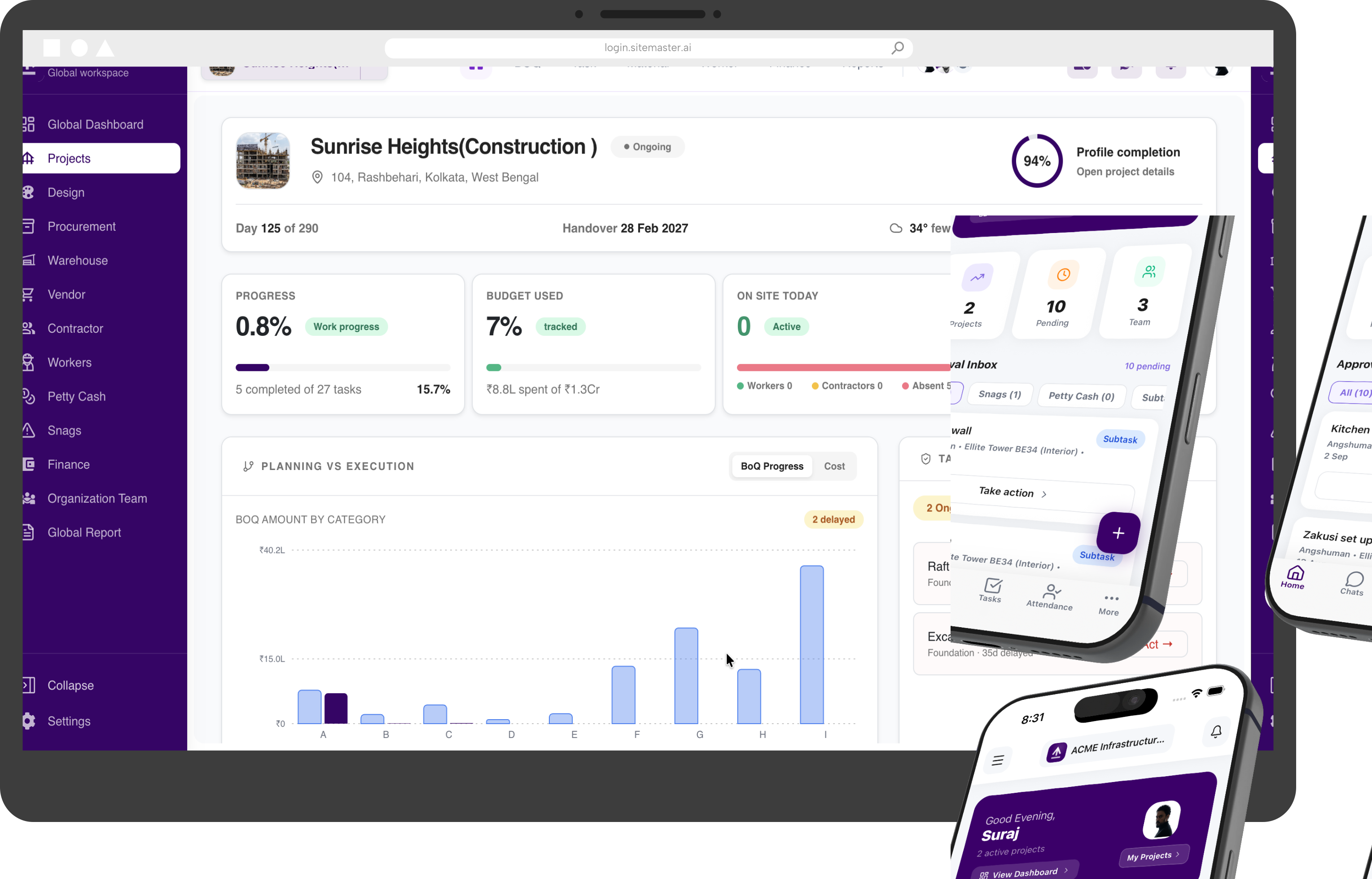
SiteMaster global and project dashboard

Live visibility

From portfolio to site

Module 01

BoQ Planning, Execution & Tracking

Turn the Bill of Quantities into a live execution plan that connects scope, quantities, progress and cost.

  • Build item-wise quantities and budgets
  • Track planned, completed and balance quantities
  • Monitor execution value and progress
  • Keep scope and cost visible to every stakeholder

Plan against the BoQ and know exactly where execution stands.
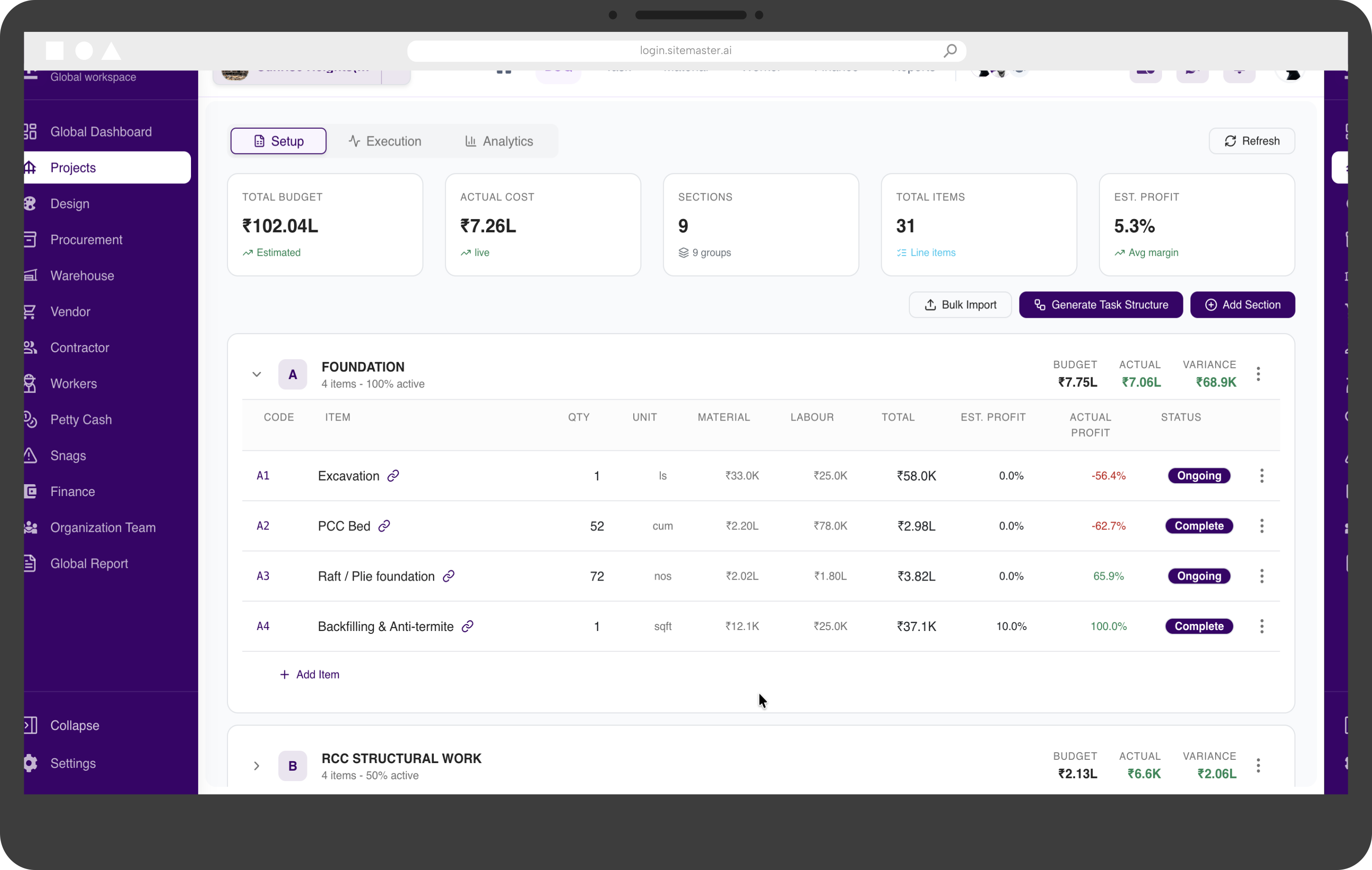
BoQ Planning, Execution & Tracking interface in SiteMaster
Module 02

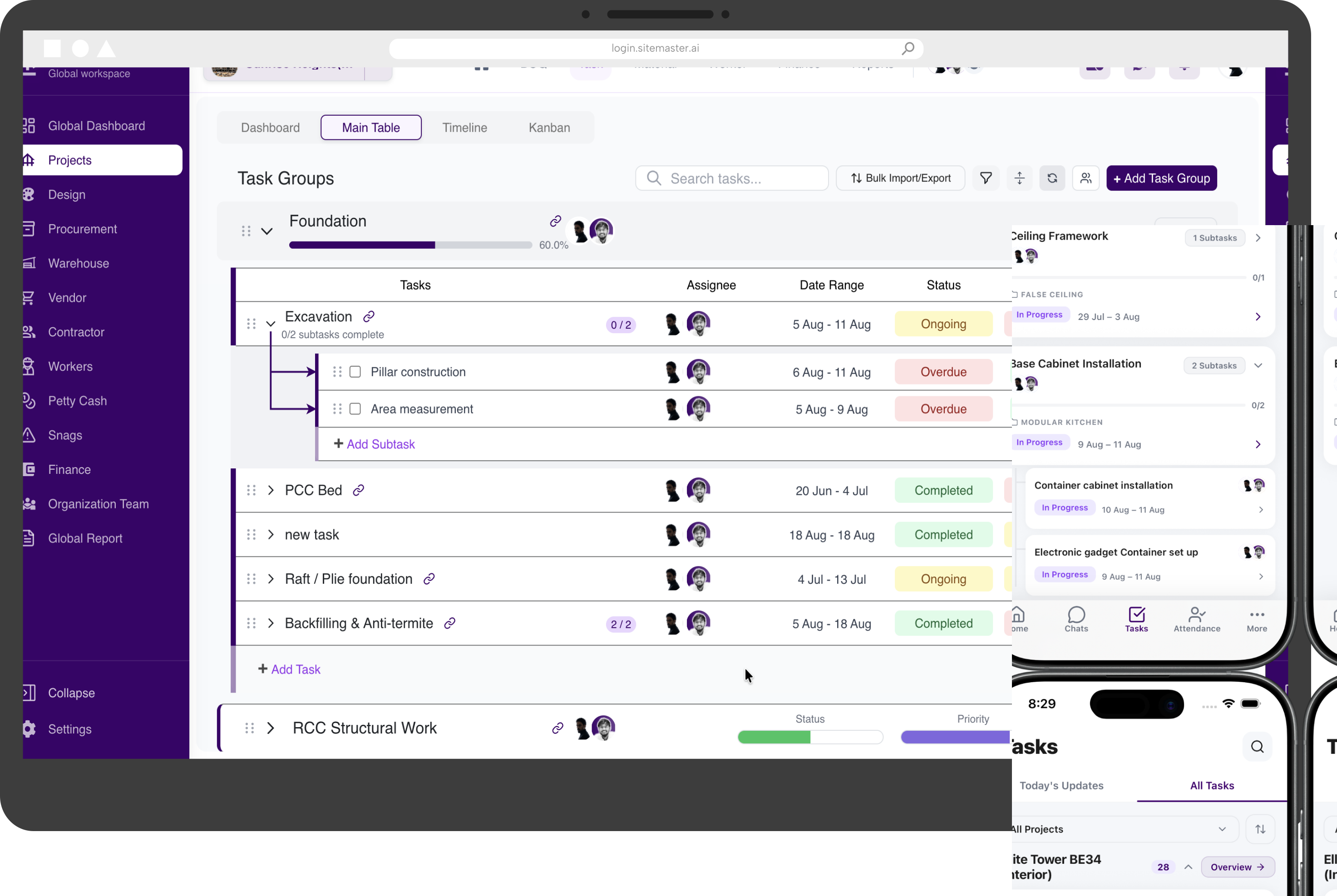
Task Management

Break project plans into clear, accountable work for every team, package and milestone.

  • Create tasks, sub-tasks and milestones
  • Assign owners, priorities and due dates
  • Review progress across project teams
  • Spot blocked and overdue work early

Give every activity an owner, a timeline and a clear next step.

Task Management interface in SiteMaster
Module 03

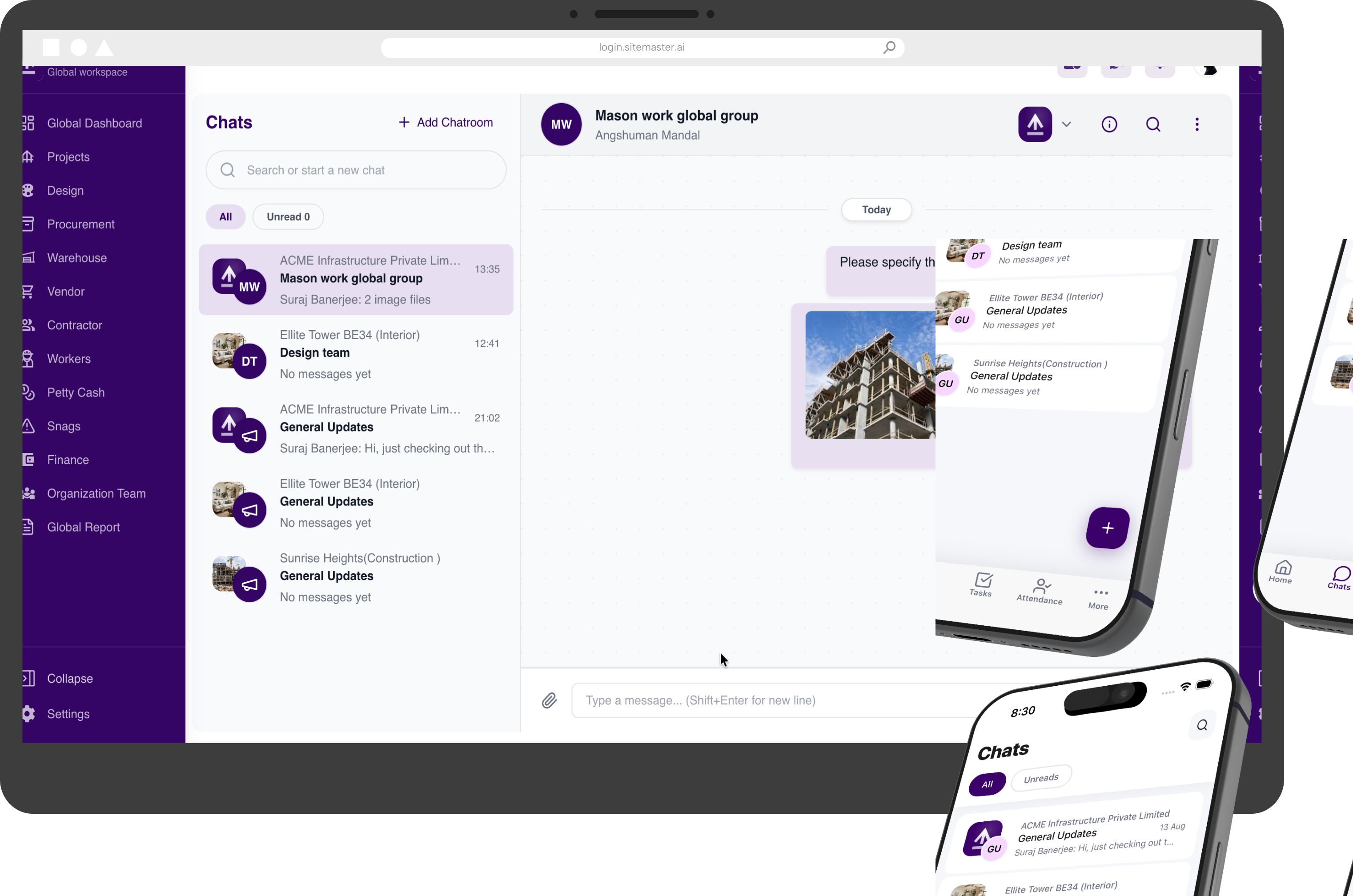
Chats & Communication

Keep project conversations organised and accessible, without losing decisions in disconnected channels.

  • Bring project and team conversations together
  • Share updates, files and site context
  • Keep communication visible to the right people
  • Find past decisions without searching multiple apps

One shared communication trail, connected to the work it affects.

Chats & Communication interface in SiteMaster
Module 04

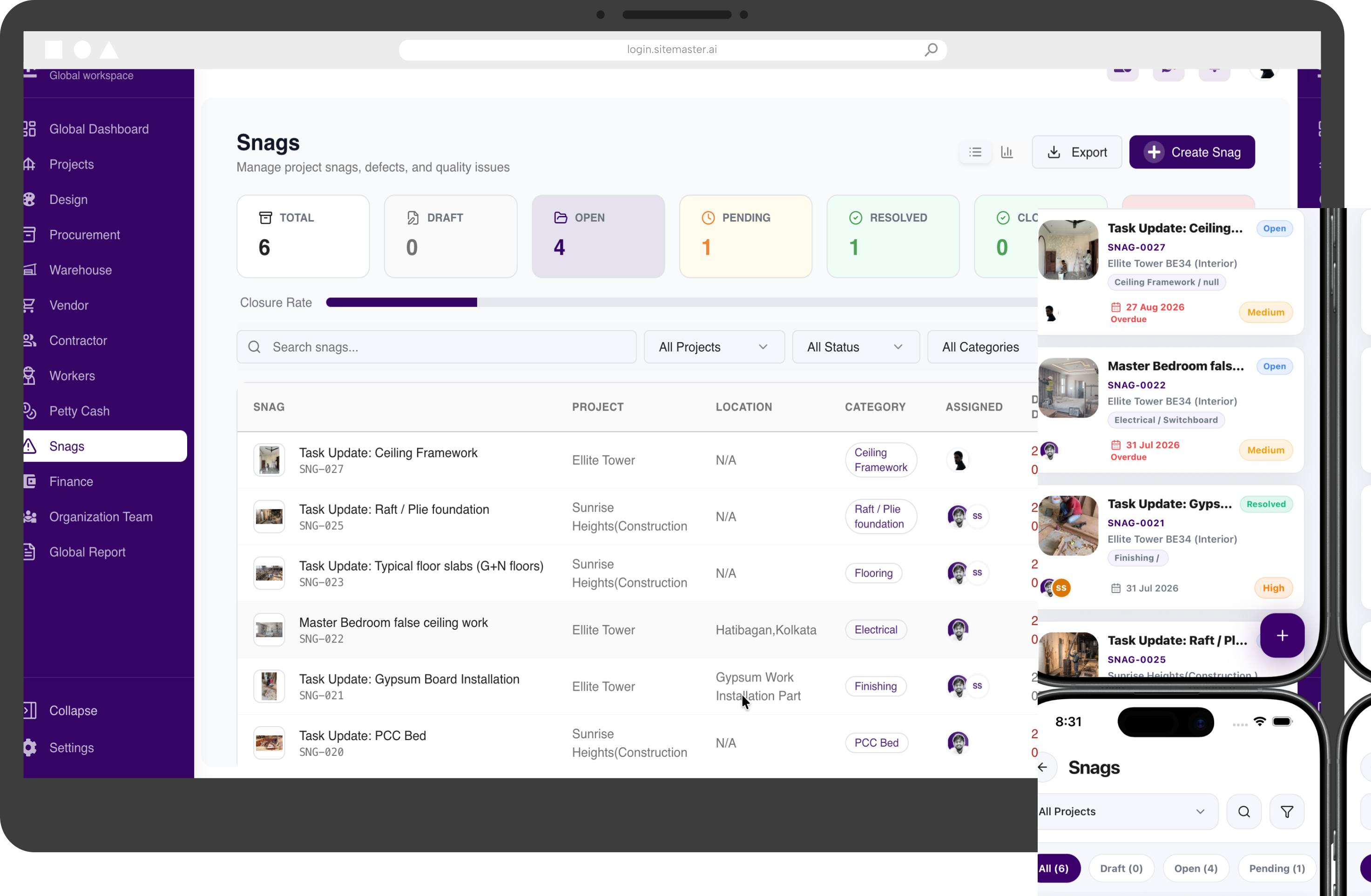
Snags & Issue Tracking

Capture site issues when they happen, assign responsibility and follow every snag through to closure.

  • Log snags with clear site context
  • Assign owners and target closure dates
  • Track open, in-progress and resolved issues
  • Maintain an accountable resolution history

Resolve quality and execution issues before they become delays.

Snags & Issue Tracking interface in SiteMaster
Module 05

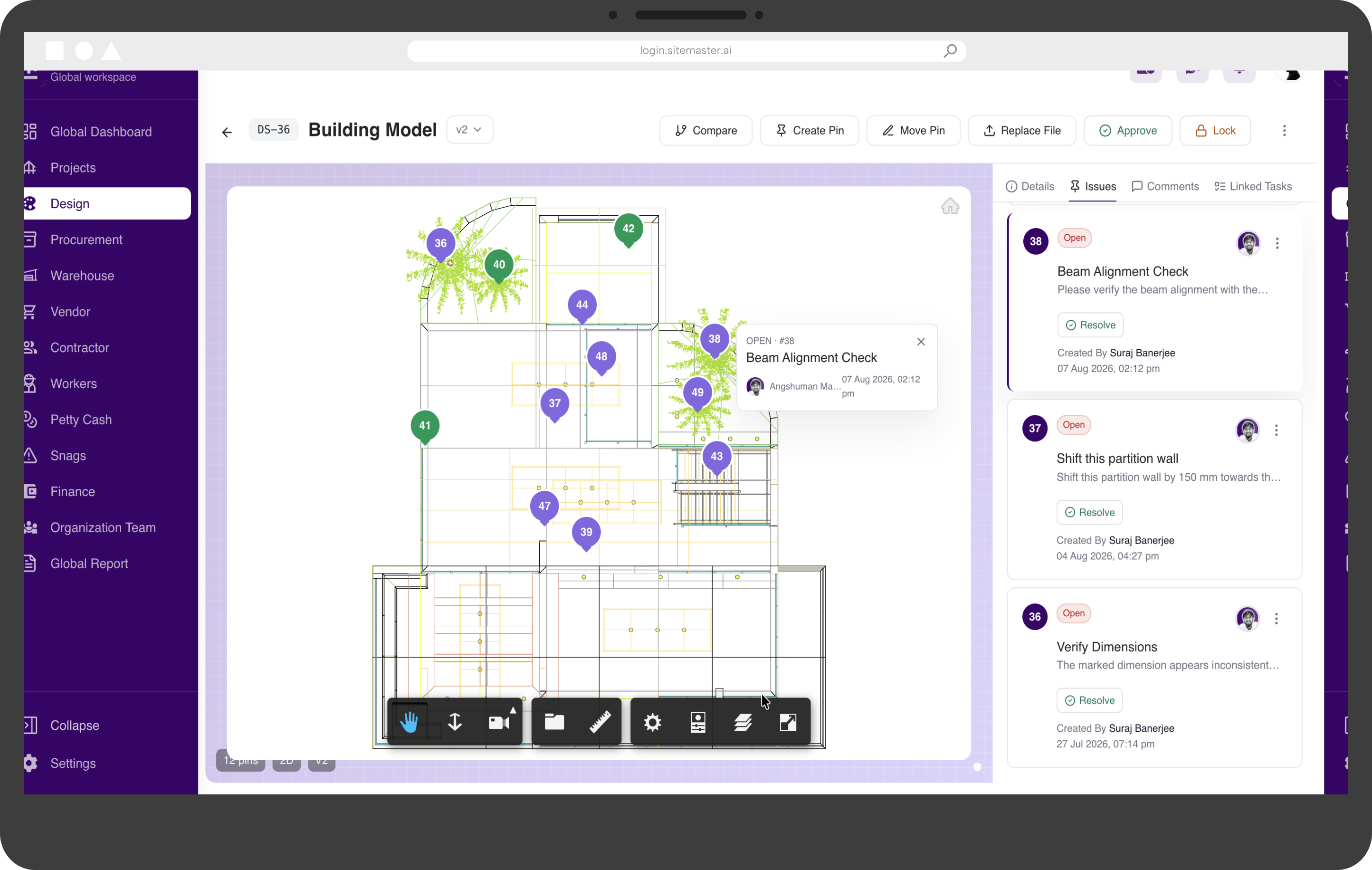
Designs & Drawings

Create a single source of truth for drawings, design documents and the latest project revisions.

  • Organise drawings by project and discipline
  • Keep revision history in one place
  • Share the latest files with site teams
  • Reduce confusion caused by outdated documents

Make sure the site team always works from the right drawing.

Designs & Drawings interface in SiteMaster
Module 06

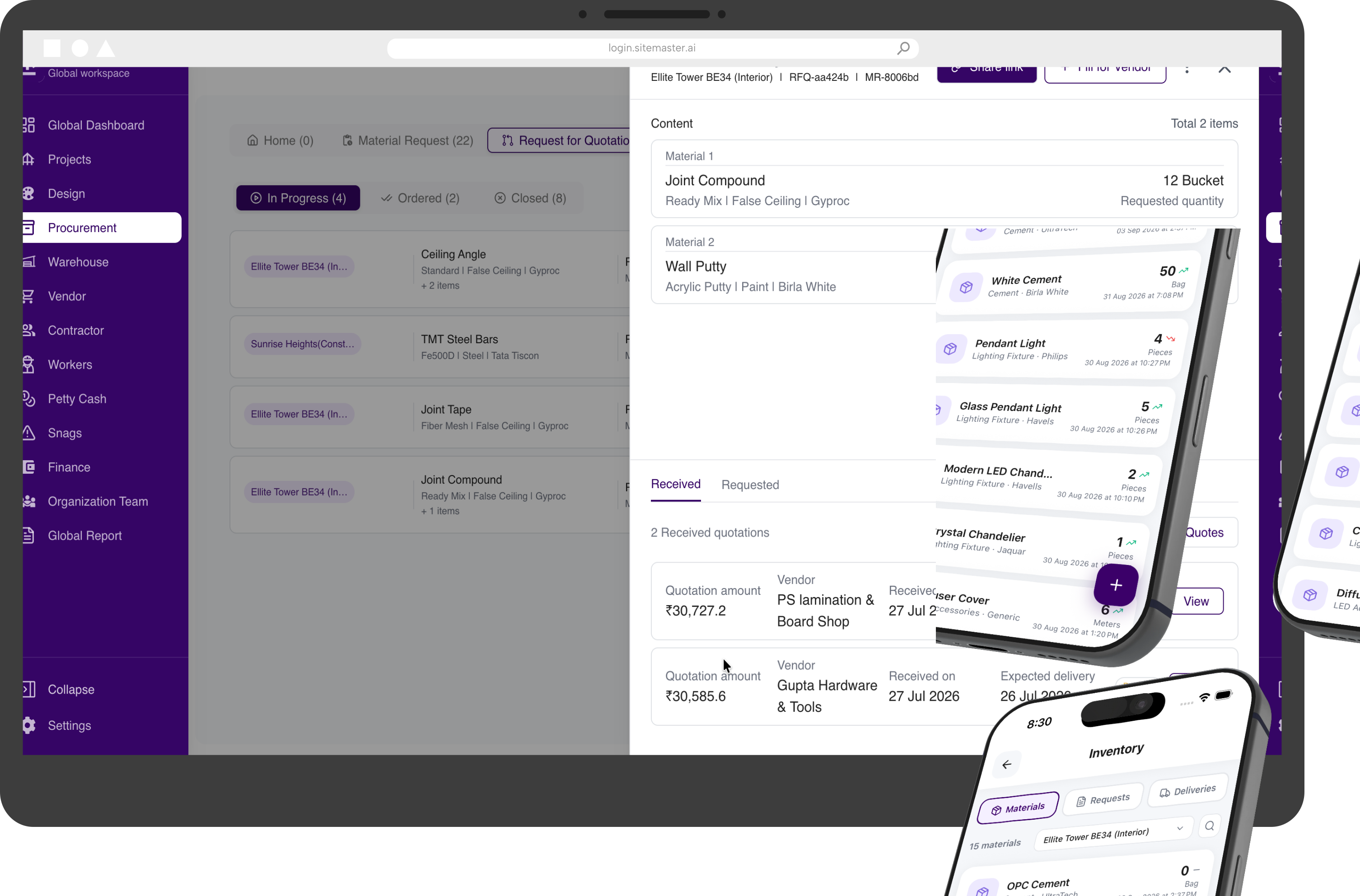
Procurement & Inventory Management

Manage the complete material journey—from site demand and purchasing to receipt, stock and consumption.

  • Raise and review material requests
  • Compare vendors and issue purchase orders
  • Record receipts, issues and stock movement
  • Track procurement status from request to site

Control material availability, movement and spend across projects.

Procurement & Inventory Management interface in SiteMaster
Module 07

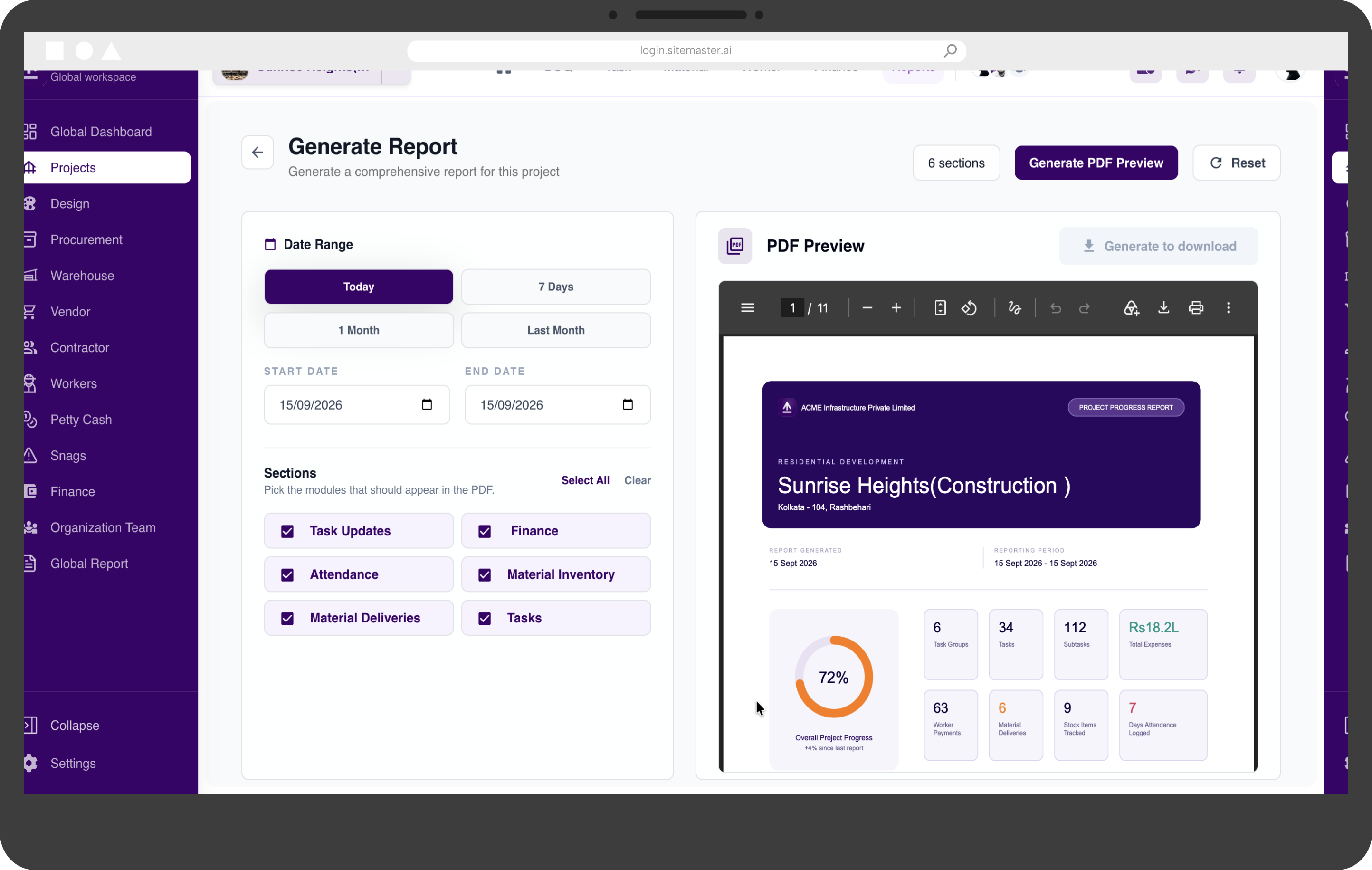
Reports

Turn daily project activity into structured reports that owners and teams can act on.

  • Review progress, activity and performance
  • Keep project reporting consistent
  • Surface cost and execution exceptions
  • Share timely updates with stakeholders

Create dependable project visibility without manual consolidation.

Reports interface in SiteMaster
Module 08

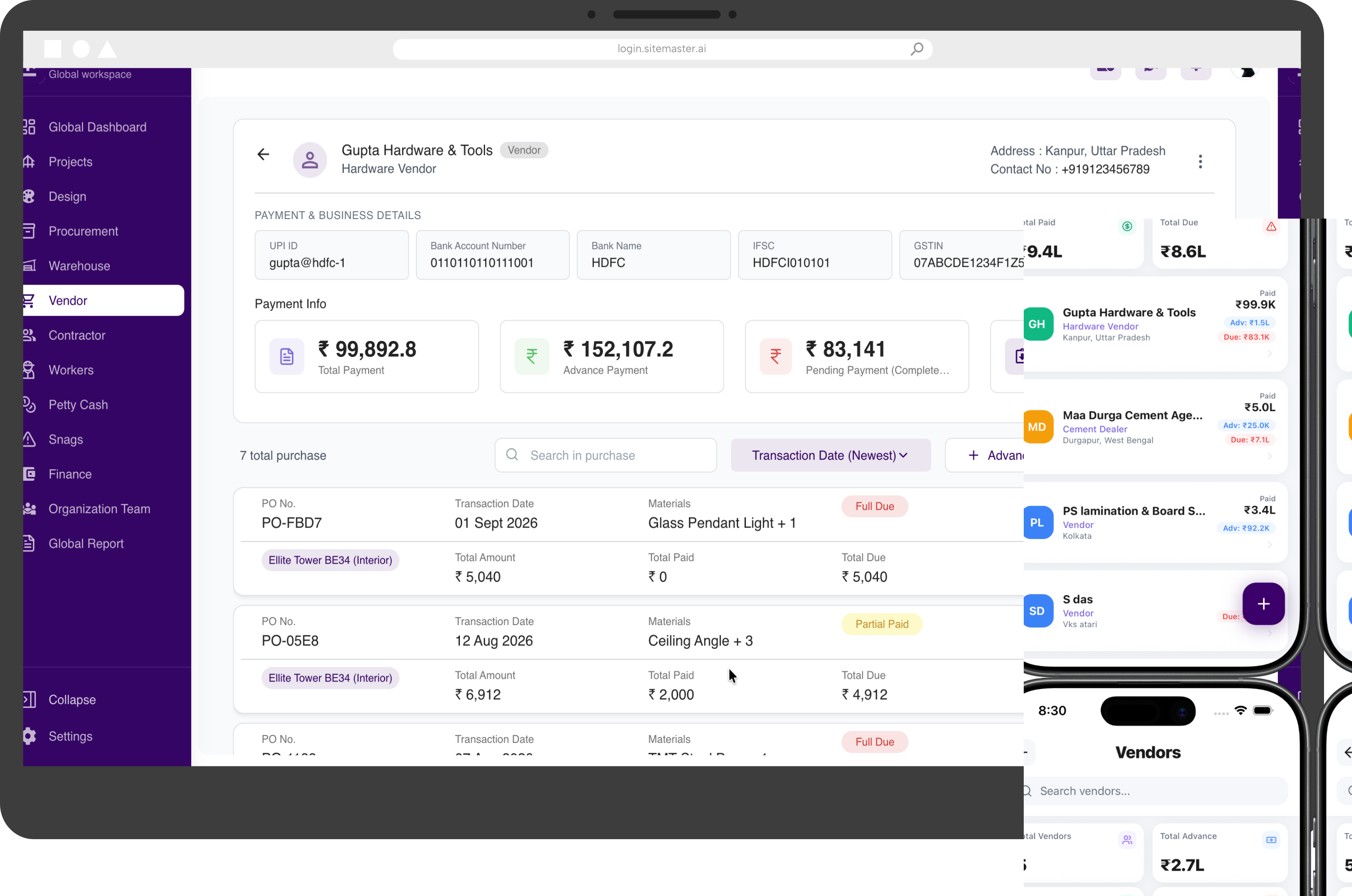
Material Vendors & Advance Payments

Maintain vendor records, project commitments, advances and outstanding balances in one connected ledger.

  • Maintain a central material vendor directory
  • Record vendor advances by project
  • Track payment and adjustment history
  • See balances across active projects

Know what has been paid, adjusted and remains outstanding.

Material Vendors & Advance Payments interface in SiteMaster
Module 09

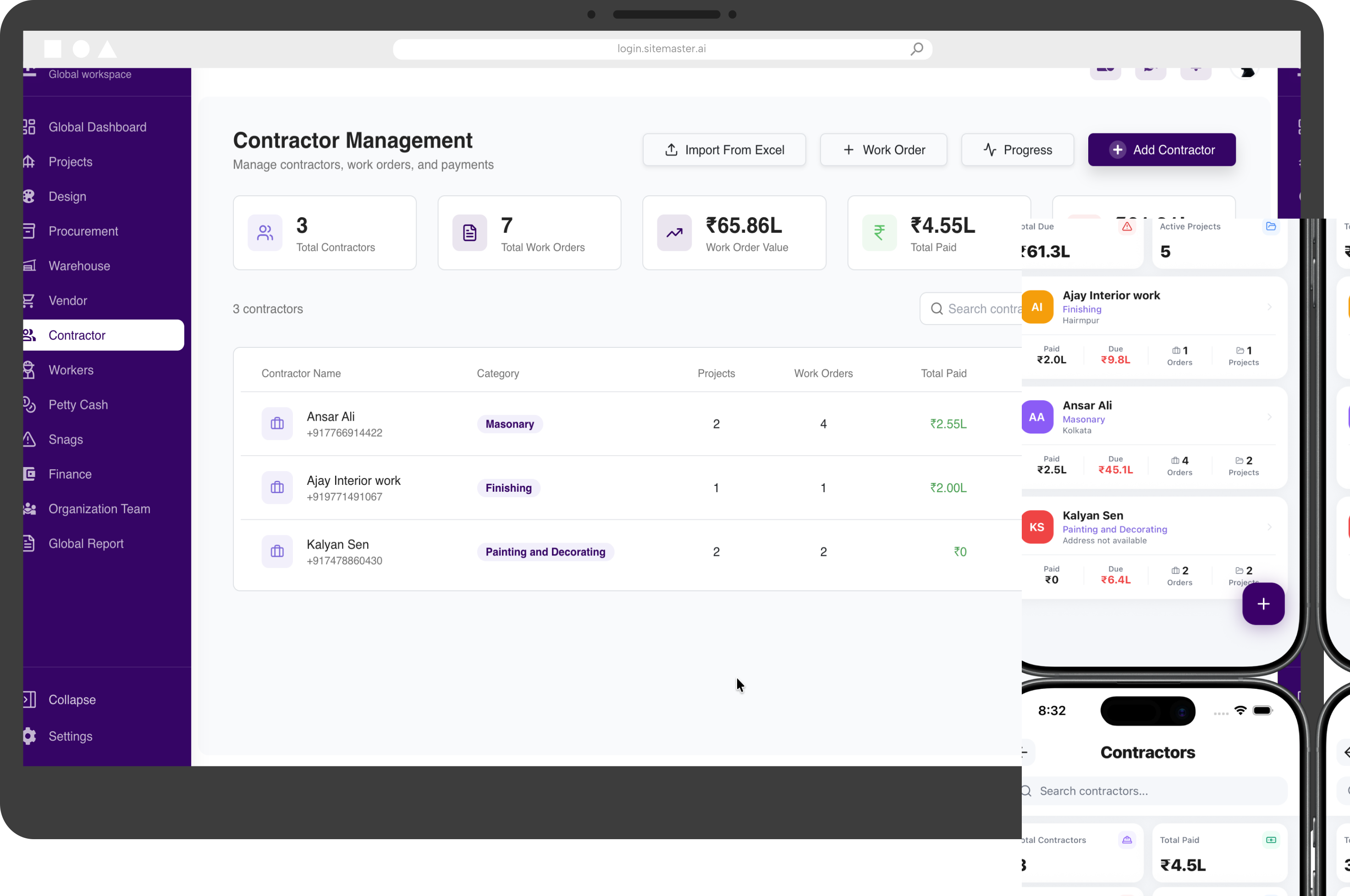
Contractors & Work Orders

Define contractor scope, rates and commercial terms, then track work and payments against each order.

  • Create structured contractor work orders
  • Define scope, rates and milestones
  • Track execution against awarded work
  • Maintain billing and payment visibility

Keep contractor delivery and commercial commitments aligned.

Contractors & Work Orders interface in SiteMaster
Module 10

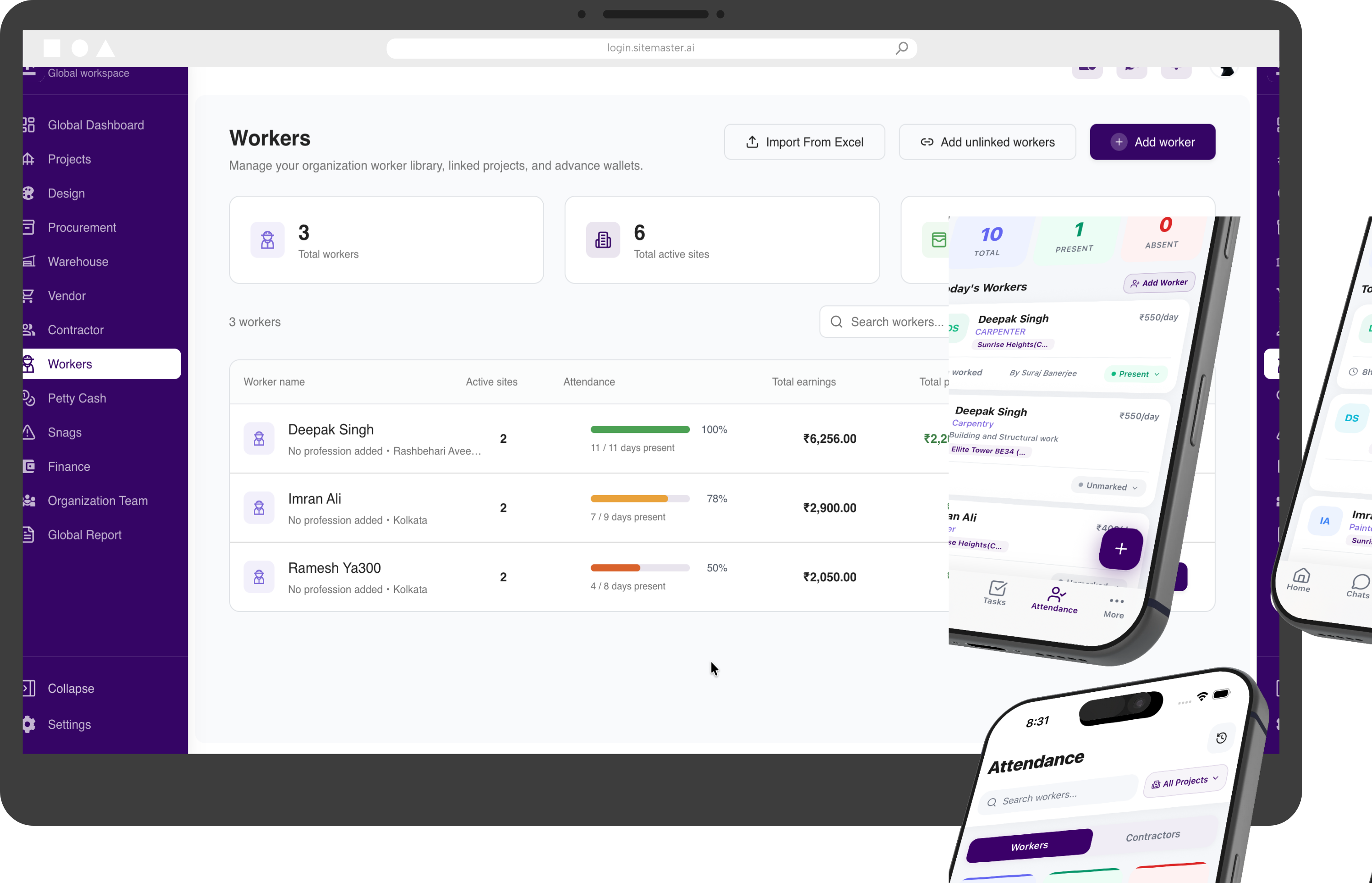
Daily Workers

Record daily workforce deployment and keep labour information organised project by project.

  • Maintain daily worker records
  • Track attendance and site deployment
  • Organise labour by role or work package
  • Keep daily wage information visible

Understand who was on site, where they worked and what it cost.

Daily Workers interface in SiteMaster
Module 11

Global & Project Dashboards

See the health of the entire business, then move from portfolio-level signals into individual project detail.

  • Monitor the full project portfolio
  • Open project-level progress and cost views
  • Identify delays, risks and pending actions
  • Focus teams on the metrics that need attention

Give leadership and project teams one reliable view of performance.

Global & Project Dashboards interface in SiteMaster

See how the modules work together on your projects

Book a personalised walkthrough built around your current workflows, teams and project portfolio.